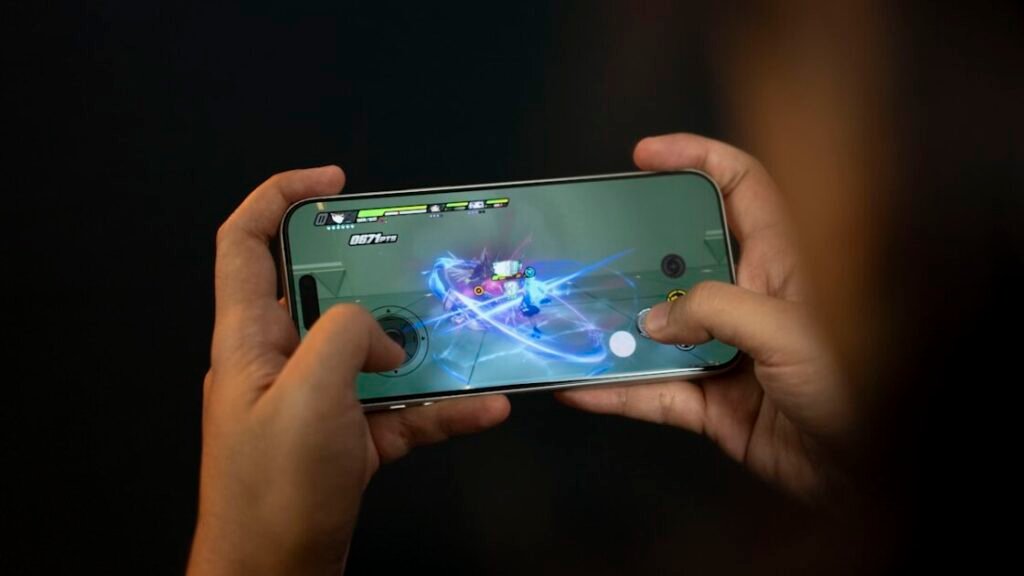
Buat lo para mobile gamers di luar sana… pasti frustasi banget kan kalau lagi push rank atau moment penting di game, eh tiba-tiba FPS drop atau lag spike yang bikin kalah? Atau mungkin lo punya HP mid-range yang sebenernya capable tapi game developer sengaja lock FPS di 60 padahal HP lo bisa lebih? Nah, di sinilah module Magisk dan LSPosed jadi penyelamat gaming experience lo.
Gue sendiri sempet frustrated banget pas main CODM sama PUBG di HP yang spec-nya seharusnya mumpuni… tapi kok grafiknya cuma bisa medium dan FPS locked di 60? Padahal HP flagships lain dengan chipset yang hampir sama bisa dapet ultra graphics sama 90 FPS. Turns out, ini bukan masalah hardware… tapi memang game developer yang whitelist device tertentu aja buat unlock full potential.
Setelah research dan nyoba berbagai module, akhirnya gue nemu kombinasi yang beneran works… FPS jadi smooth 90, grafik bisa ultra, bahkan touch latency berasa lebih responsive. Dan yang paling penting, semua ini achievable dengan proper modules tanpa harus beli HP flagship baru. So di artikel ini gue bakal share module-module terbaik yang gue personally tested dan beneran deliver result. Let’s level up your gaming game!
Kenapa Gamer Android Butuh Module Performance?
Sebelum masuk ke list modules, gue mau jelasin dulu kenapa sih kita butuh module-module ini. Karena understanding the problem bakal help lo appreciate the solution dan tau kapan lo beneran butuh atau nggak.
Limitasi Hardware yang Bikin FPS Nge-drop
Jadi gini… even HP dengan spec tinggi sekalipun, kadang nggak di-optimize dengan maksimal dari pabrik. Thermal throttling terlalu agresif, CPU governor nggak optimal, GPU scheduling yang conservative… semua ini bikin performance actual lo di bawah potential maksimal hardware.
Module performance bisa tweak parameter-parameter system level ini buat maximize output. Lo bisa adjust CPU frequency, change governor buat gaming mode, optimize GPU rendering, bahkan manage RAM allocation biar game lo dapet priority. Basically lo fine-tune system lo specifically buat gaming workload.
Yang menarik adalah with proper tweaking, even mid-range device bisa perform significantly better. Gue liat banyak kasus device dengan Snapdragon 7-series yang after tweaking bisa deliver experience hampir comparable sama flagship. Obviously nggak bisa magic turn potato jadi beast… tapi maximizing what you have itu definitely possible.
Game Developer yang Sengaja Lock FPS
Ini yang paling annoying honestly… banyak game yang sengaja whitelist device tertentu aja buat unlock higher FPS atau max graphics. Even kalau HP lo technically capable handle 90 FPS atau 120 FPS, game-nya artificial limit lo di 60 FPS cuma karena device model lo nggak ada di whitelist mereka.
Kenapa mereka lakuin ini? Mostly buat quality control… mereka nggak mau ada complain “game lo lag di HP gue” dari devices yang borderline capable. Jadi mereka play safe dengan conservative whitelist. Tapi side effect-nya, capable devices jadi artificially gimped.
Module kayak Game Unlocker solve this dengan spoof device information lo. Game akan nganggep lo pake device flagship yang officially supported, dan unlock semua options. Suddenly lo bisa access ultra graphics, 90 FPS, extreme smoothness, semua yang sebelumnya greyed out.
Jenis-Jenis Module Gaming yang Wajib Lo Tau
Ada banyak banget module di luar sana yang claim bisa boost gaming… tapi honestly nggak semua effective atau even safe. Gue bakal kategorize based on functionality biar lo ngerti mana yang sesuai kebutuhan lo.
Module untuk Unlock FPS dan Graphics
Category pertama adalah modules yang specifically unlock FPS caps dan graphics options yang di-lock sama developer. Game Unlocker adalah yang paling populer dan widely used di category ini.
Game Unlocker basically spoof device model lo jadi flagship devices yang supported higher FPS. Misalnya lo punya Poco F3 yang chipset-nya powerful tapi nggak di-whitelist… module ini bisa spoof jadi ROG Phone atau OnePlus yang di-whitelist, dan boom… suddenly all options unlocked.
Yang bikin bagus adalah module ini automatic detect supported games dan apply spoofing without manual configuration. Lo literally install, enable, reboot, terus launch game… that’s it. Supported games include major titles kayak PUBG Mobile, CODM, Mobile Legends, Genshin Impact, dan many more.
Module untuk Optimasi CPU dan GPU
Category kedua adalah system-level optimization modules yang tweak CPU and GPU parameters. Modules kayak Performance Profile allow lo set different CPU frequency, voltage, dan governor per application.
Jadi misalnya lo mau game tertentu always run CPU at max clock dengan performance governor, sementara apps lain bisa run conservatively… lo bisa configure that. This maximize performance when gaming tapi save battery pas lo nggak gaming.
Ada juga modules yang specifically optimize GPU rendering pipeline, adjust GPU frequencies, atau enable GPU overclocking safely. These are more advanced dan require understanding of your chipset, tapi potential gains-nya significant.
Module untuk Reduce Lag dan Touch Latency
Category ketiga adalah modules yang focus di smoothness dan responsiveness. Input lag atau touch latency itu critical buat competitive gaming… even beberapa milliseconds difference bisa impact gameplay significantly.
Some modules work by tweaking touch screen sampling rate, reduce input processing delays, atau optimize system scheduler buat minimize frame time variance. Result-nya adalah game yang berasa lebih responsive, controls yang lebih precise, dan overall smoother experience even dengan FPS yang sama.
Game Unlocker Module Spoof Device buat Unlock FPS Maksimal
Okay sekarang deep dive ke module yang paling essential dan must-have buat mobile gamers… Game Unlocker by rushiranpise. This is seriously game-changer kalau lo punya capable device yang artificially limited.
Cara Kerja dan Supported Games
Game Unlocker work dengan hook system properties yang dibaca sama game buat determine device model. When game query “what device is this?”, module intercept dan return spoofed information… misalnya return “ROG Phone 6” even though lo actually pake Poco F4.
Game then check spoofed device model against their whitelist, find match, dan unlock higher tier graphics and FPS options. From game’s perspective, lo beneran pake ROG Phone, so they give full access.
Supported games constantly updated tapi include popular titles. PUBG Mobile automatically unlock 90 FPS options, CODM unlock Max FPS and Very High graphics, Mobile Legends unlock Ultra graphics, Genshin Impact unlock 60 FPS cap. List terus bertambah as developer update module.
Tutorial Install dan Setup Game Unlocker
Prerequisites adalah lo harus punya device yang rooted dengan LSPosed installed. Kalau belum punya, lo perlu setup Magisk dulu terus install LSPosed module.
Download Game Unlocker APK dari GitHub releases official. After download, install APK tersebut kayak install app biasa. Then buka LSPosed Manager app lo.
Di LSPosed Manager, masuk ke Modules section. Find Game Unlocker di list dan enable module tersebut. Module automatically detect supported games yang installed di device lo dan add ke scope. Lo bisa manually untick games yang nggak mau lo spoof kalau perlu.
After enable module, WAJIB force stop games yang mau lo target. Force stop ensure game fully restart dan detect spoofed device information. Finally reboot device lo biar LSPosed apply changes.
After reboot, launch game lo dan check graphics and FPS settings. Lo should see options yang sebelumnya greyed out atau nggak available, now unlocked. Enjoy your higher FPS and better graphics!
Module Performance Tweaker untuk System Optimization
Selain unlock FPS, lo juga bisa optimize underlying system performance biar game lo run lebih smooth dan stable. Here are modules yang focus di system-level tweaks.
GPU Turbo Boost dan CPU Governor
Ada beberapa Magisk modules yang implement GPU turbo boost atau similar technologies. These modules adjust GPU clock speeds, voltage curves, dan thermal limits buat allow sustained high performance.
CPU governor modules allow lo change dari default balanced governor ke performance governor specifically pas gaming. Performance governor keep CPU at higher frequencies more aggressively, reducing stutter dari frequency scaling.
Yang penting adalah monitor temperature pas pake tweaks aggressive. Some devices with poor cooling nggak bisa sustain max performance lama-lama dan bakal thermal throttle anyway. Better tweak conservatively dan test stability.
RAM Management dan Background Process Killer
Gaming butuh RAM yang sufficient dan nggak ada background processes yang steal resources. Ada modules yang optimize Android’s low memory killer, making it more aggressive dalam kill background apps.
Some modules also allow lo lock game di RAM biar nggak pernah di-kill even when switching apps. This reduce reload time dan maintain game state better.
Lo juga bisa combine dengan apps kayak Game Booster yang automatically kill unnecessary services pas gaming session. Less overhead from background tasks means more resources available buat game lo.
LSPosed Module Lainnya yang Boost Gaming Experience
Beyond pure performance, ada modules yang enhance gaming experience di aspects lain yang juga important.
Module untuk Remove Ads di Game
Banyak free-to-play games bombardir lo dengan ads yang annoying. Ada LSPosed modules yang bisa block ads di games without need root-level ad blocking.
Module kayak AdAway atau similar yang integrate dengan LSPosed bisa intercept ad requests dari games dan block mereka. Result-nya gaming experience yang cleaner tanpa interrupted sama fullscreen ads.
Though perlu diinget bahwa blocking ads from games that rely on ad revenue bisa considered unethical. Support developers dengan watch ads atau beli IAP kalau lo enjoy game mereka.
Touch Response Enhancer
Ada modules experimental yang claim improve touch response dan reduce latency. Effectiveness-nya varies tergantung device dan Android version.
Basically they work dengan adjust touch sampling rate, reduce input buffer delays, atau optimize event processing pipeline. Even small improvements di input lag bisa make difference di competitive gaming.
Tips Kombinasi Module buat Hasil Maksimal
Installing modules itu seni… too few dan lo nggak maximize potential, too many dan lo risk instability. Here are tips buat optimal setup.
Jangan Install Terlalu Banyak Module Sekaligus
More is not always better pas it comes to modules. Every module add overhead dan potential conflicts. Some modules might hook same functions dan cause unpredictable behavior.
Start dengan one or two essential modules… misalnya Game Unlocker plus one performance tweaker. Test stability dan performance gains. Only add more modules kalau lo beneran butuh additional functionality.
Dan kalau lo notice instability atau weird behavior, troubleshoot dengan disable modules one by one buat identify culprit. Having clean baseline important sebelum add complexity.
Monitor Temperature dan Battery Usage
Performance tweaks often come dengan trade-off di temperature dan battery life. Aggressive CPU/GPU settings bikin device lo hotter dan drain battery faster.
Use monitoring apps buat track temperature during gaming. Kalau consistently hit thermal throttle temps (85-90°C range), lo need dial back tweaks. Sustained high temps bisa damage battery dan components long-term.
Battery drain juga worth monitoring. Kalau gaming session lo drastically shortened after install modules, consider whether performance gains worth battery sacrifice. Balance is key buat sustainable gaming experience.
Kesimpulan
Jadi kesimpulannya… with right combination of modules, lo bisa significantly improve gaming performance di Android device lo. Game Unlocker alone already huge improvement buat unlock artificially limited FPS and graphics options. Combined dengan system optimization modules, lo bisa maximize what your hardware capable of.
Tapi inget… modules bukan magic solution yang turn low-end device jadi flagship killer. They maximize potential yang already ada, not create performance from thin air. Kalau hardware lo memang underpowered buat certain games, modules bisa help tapi nggak bisa miracle.
Most important adalah approach dengan systematic… test one module at time, verify stability, monitor side effects, dan only add more kalau needed. Smart modding dengan proper testing beat reckless installation yang result in bootloop atau unstable system. Game smart, mod smarter… dan enjoy your improved mobile gaming experience!
FAQ
1. Apakah pakai module gaming bisa bikin banned dari game online?
Depends on game dan what module does. Game Unlocker yang cuma spoof device model generally aman karena nggak modify game files atau inject cheats. Tapi always ada risk… some games dengan aggressive anti-cheat might detect root atau Xposed dan ban. Use at your own risk dan research specific game policies.
2. Module mana yang paling worth it kalau cuma bisa install satu?
Game Unlocker hands down. Module ini punya biggest impact dengan minimal risk atau overhead. Unlock FPS dan graphics options yang di-lock itu significant improvement yang langsung kerasa. Plus installation-nya simple dan nggak perlu banyak configuration.
3. Apakah HP pasti jadi lebih panas kalau pakai module performance?
Not necessarily. Kalau lo cuma pake Game Unlocker yang unlock options, temperature tergantung settings game yang lo pilih. Kalau lo set ultra graphics dan max FPS, ya naturally lebih panas. Tapi module itu sendiri nggak add overhead yang significant. Performance tweaker modules yang aggressive baru potential bikin lebih panas.
4. Bisa nggak combine module gaming dengan module root hiding kayak Shamiko?
Absolutely bisa dan bahkan recommended. Lo pake Shamiko buat hide root dari games yang detect, terus pake Game Unlocker atau modules lain buat boost performance. They work di layer berbeda dan nggak conflict. Just make sure configure Denylist properly di Shamiko.
5. Kalau HP udah flagship seperti ROG Phone atau Black Shark, masih butuh module nggak?
Gaming phones already optimized dari pabrik dan usually udah di-whitelist sama game developers buat max settings. Module masih bisa helpful buat fine-tuning atau specific tweaks, tapi gains-nya lebih minimal compared to non-gaming phones. Probably nggak essential tapi bisa experiment kalau interested.
Lo udah pake module gaming apa aja di HP lo? Atau masih ragu-ragu mau mulai modding?